



Seguimiento por cookies
El seguimiento por cookies es una función esencial del software de afiliados que rastrea los datos de los visitantes y los almacena en un sitio web. Descubre có...
4 min de lectura
Tracking
AffiliateMarketing
+3

Post Affiliate Pro offers a wide range of tracking methods to give you the most accurate tracking results. Read more about what we offer in this article.
Available in: Post Affiliate Pro , Post Affiliate Pro Ultimate , Post Affiliate Network
Post Affiliate Pro implements advanced types of tracking to create accurate tracking results.
A cookie is a small text file or data that a website stores on your computer. We distinguish between first-party cookies (which store information about the customer on the website the customer is browsing) and third-party cookies (also called tracking cookies).
As far as tracking is concerned, Post Affiliate Pro creates multiple cookies. The most important one is the PAPVisitorID, which stores the ID of the website’s visitor. In order to ensure this tracking ID isn’t lost, the browser creates 3 different records: a first-party cookie, a third-party cookie, and an HTML 5 local storage object.
Third-party cookies are incredibly important in affiliate marketing; thanks to them, you can tie conversions back to your affiliates. In order to compensate your affiliate fairly, using the data collected by 3rd party cookies is a necessity.
This method is only used when the browser cookies can’t be found. Even though these events are rare, Post Affiliate Pro is prepared for them.
During the sale tracking process, we search for the last known click from the visitor’s IP. If we find it, then the affiliate and campaign ID from this click are used, and a sales commission can be created.
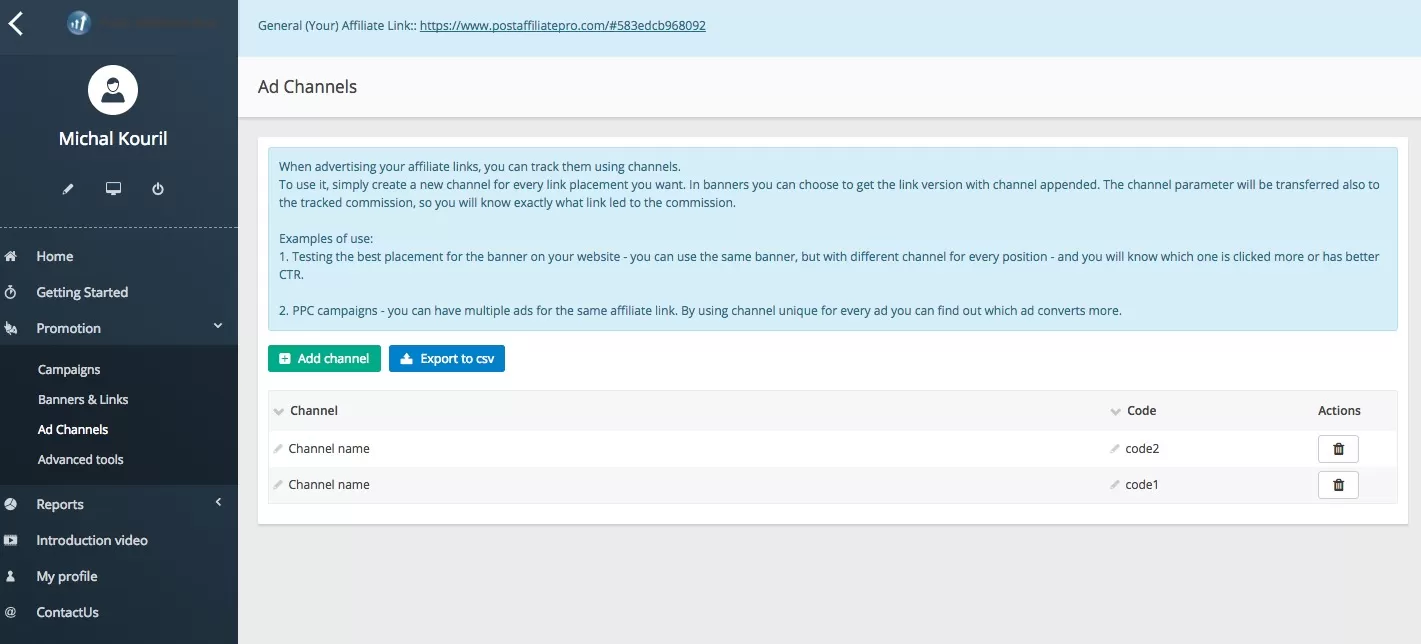

Configura el seguimiento avanzado en minutos. No se requiere tarjeta de crédito.
Besides the standard tracking methods (IP tracking, browser cookies) and advanced tracking methods (Flash cookies), there are other ways to track your affiliates. Post Affiliate Pro has a number of extended tracking methods.
Lot of customers find the report of impressions useful. Impression refers to an action of a potential customer seeing a banner without clicking on it. Post Affiliate Pro allows you to see these statistics for each banner/link.
Imagine you have an affiliate who has thousands of visits per day, but based on impression statistics you can see that just a few people really clicked your ad. With this information, you can find out why customers don‘t click. There can be various reasons, such as a wrongly placed banner on the website, irrelevant product promotion, or the banner not being interesting enough. You can easily use the customer potential from this website if you aim it correctly and turn traffic into sales. Impression tracking can help you with this.
The most reliable way to track proper affiliates is to use this tracking method. When an affiliate refers a customer to your shop and the customer registers or purchases something, Post Affiliate Pro will tie this customer with the affiliate internally. Next time when the customer shops with you, they don’t even have to use the same computer; they can log in from a completely different country but the commission will still be tracked correctly. It is up to you what data will be used to tie affiliates with customers, like their email or a unique customer ID from the shop you use.
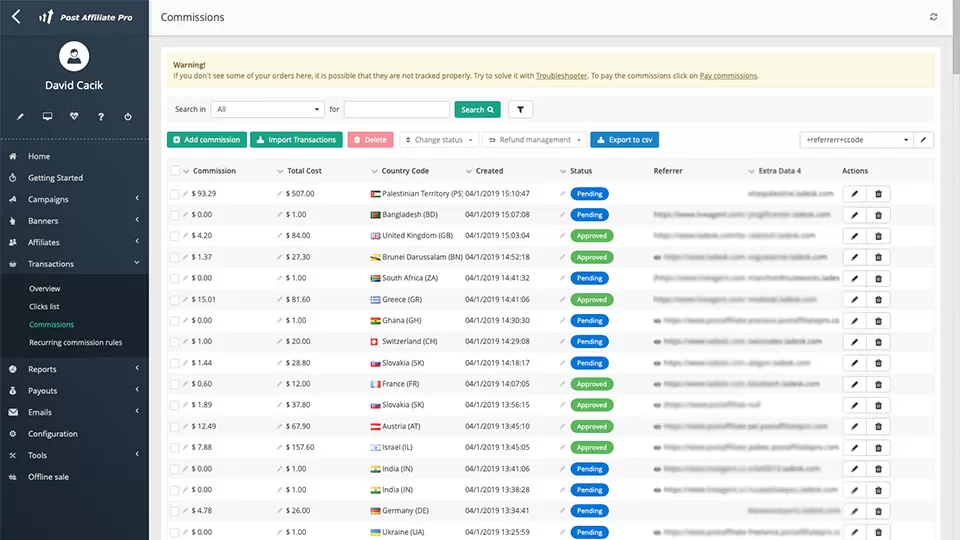
With action tracking, you can track essentially anything – if a video was seen and watched by a customer, if they clicked a special one-time offer, if they came from an email, or if somebody clicked a button for a free newsletter. You can even track all the steps the customer is taking on your website – clicking the introduction, ‘more info’ page, testimonials, then the order page, and finally, the thank you page. With action tracking, there are no limits.
In case you have more campaigns with different commission levels, you need to use per-product tracking. This method enables you to track each product separately to avoid wrongly computed commissions for products that do not belong to a specific campaign. The easy-to-use setup gives you the option to specify if it is per product, or per category, or even per shop (in case you operate more shops).
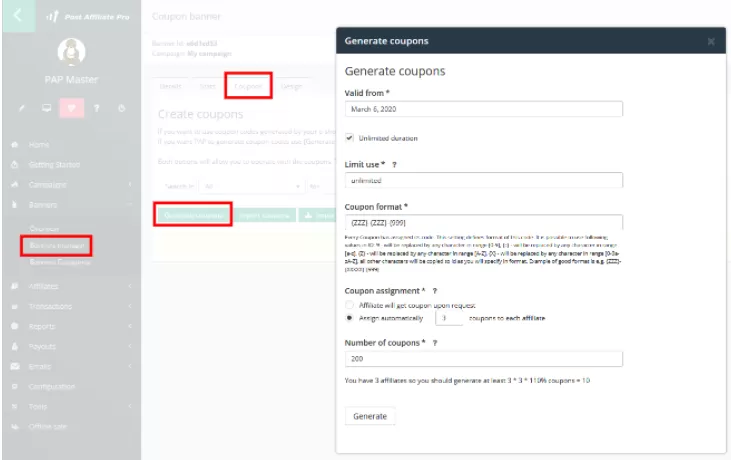
Nowadays people use offline tracking more than they used to. There are hundreds of websites that offer discounts for food, vacations, and other products – and they use coupon codes. The offline tracking is based on coupons . Each affiliate has their own coupon(s) which customers can use. If such a coupon is used, Post Affiliate Pro will track the sale even if the coupon was used from printed media. Thanks to this, your affiliates can promote you in a local newspaper or distribute leaflets on the street.
S2S tracking is a conversion method of tracking where the tracking request is executed only on the server. This tracking method doesn’t use 3rd party cookies or HTML 5 local storage, and as such can’t be blocked.
The server to server tracking method is secure, has excellent fraud prevention, and is one of the most accurate tracking methods due to not being affected by users clearing their caches (deleting cookies).
Pixel tracking is often used simultaneously with cookies to track users’ activity and collect data. This tracking method is most often implemented when javascript tracking is not available. As far as cookies are concerned, pixel tracking is less efficient. HTML 5 local storage cannot be used at the same time as 1st and 3rd-party cookies. It is necessary to use either third-party or first-party cookies. In order to track affiliates accurately, you’ll need to set up third-party cookies on your Post Affiliate Pro domain. It is important to keep in mind that some browsers block their creation.
In addition to affiliate links, ads, sales conversions, website visits, and any other type of web activity, tracking pixels also provide information about affiliate links and ad impressions.
Pixel tracking is easy to set up and can help optimize your campaigns and make your websites more user friendly. With the information gathered from pixel tracking, you can better decide how to optimize your expenses in order to focus on places that bring in the most traffic and sales.
Plugins are an excellent way to expand the functionality of a program by adding new features and customizations. Post Affiliate Pro uses two main types of plugins – Integration plugins (which work closely with e-shops, mailing lists, etc.) and Customization plugins (these offer customizations to your setup, such as customization to your merchant panel, an option to hide IP due to GDPR laws, and many more).
Plugins bring many benefits to your Post Affiliate Pro account. From WordPress integrations to online payment processing integrations, there are plenty to choose from.
We recommend you use only the plugins you need and know how they work, as they may change how the software behaves.
Track your affiliates even better with Post Affiliate Pro .
Post Affiliate Pro provides sophisticated tracking capabilities under the hood to ensure accurate affiliate attribution. This section covers the technical details of the tracking system.
When a sale or action is tracked, Post Affiliate Pro uses multiple methods to identify which affiliate should receive credit for the conversion. These recognition methods are evaluated in a specific order:
This is the primary recognition method. When a visitor clicks an affiliate link, a unique Visitor ID is stored. During sale tracking, the system looks up this Visitor ID to find the associated affiliate. The tracking method is set as “cookie tracking” when this method succeeds.
The Visitor ID is stored in three places for redundancy:
When cookie-based recognition fails, the system can fall back to IP address tracking. This method:
This fallback is controlled by the “Track by IP” setting in the tracking configuration.
For even more precise fallback tracking, Post Affiliate Pro can combine the visitor’s User Agent (browser fingerprint) with their IP address. This method:
This feature is controlled by the “Track by User Agent + IP” setting.
Post Affiliate Pro uses a sophisticated JavaScript tracking library that handles click tracking, sale tracking, and cookie management on the client side.
The tracking library consists of several JavaScript modules:
PostAffTracker - The main tracking object that:
PostAffCookieManager - Handles cookie operations:
PostAffAction - Represents a sale or action to be tracked:
You can selectively enable or disable specific tracking storage methods:
The tracking script is loaded from one of these endpoints:
trackjs.php - Main JavaScript tracking librarysalejs.php - Alias for trackjs.php (legacy support)clickjs.php - Alias for trackjs.php (legacy support)The track.php script processes all tracking requests, including:
This is the primary server-side tracking script that processes all tracking requests. It handles:
Request Processing:
Fraud Protection:
Processing Modes:
Offline Processing - Visits are stored in a queue and processed by a background cron job. This is the recommended mode for high-traffic sites as it:
Online Processing - Visits are processed immediately during the request. This mode is used when:
Single Visitor Processing: When online sale processing is enabled with offline visit processing, the system can process all pending visits for a specific visitor immediately when a sale is tracked. This ensures the sale is attributed correctly even when general visit processing is deferred.
Post Affiliate Pro supports multiple linking methods for affiliate URLs:
The Click Stats Optimizer plugin is designed to optimize database performance for high-volume affiliate programs. It reduces the size of click statistics tables by selectively omitting certain data fields.
When enabled, this plugin clears the Data1 and Data2 fields from click impression records before they are saved to the statistics tables. This results in:
While this plugin improves performance, it has limitations:
This plugin is recommended for:
For optimal performance, Post Affiliate Pro implements a visitor affiliate caching system that:
This caching mechanism significantly improves tracking performance, especially for sales that require multiple affiliate lookups (such as split commission scenarios).
Experience powerful affiliate tracking with a free 1-month trial. Discover all the features and boost your affiliate program's performance.
El seguimiento por cookies es una función esencial del software de afiliados que rastrea los datos de los visitantes y los almacena en un sitio web. Descubre có...
Descubra cómo Post Affiliate Pro gestiona sus datos personales, incluyendo el uso de cookies, análisis de terceros y sus opciones para controlar la configuració...
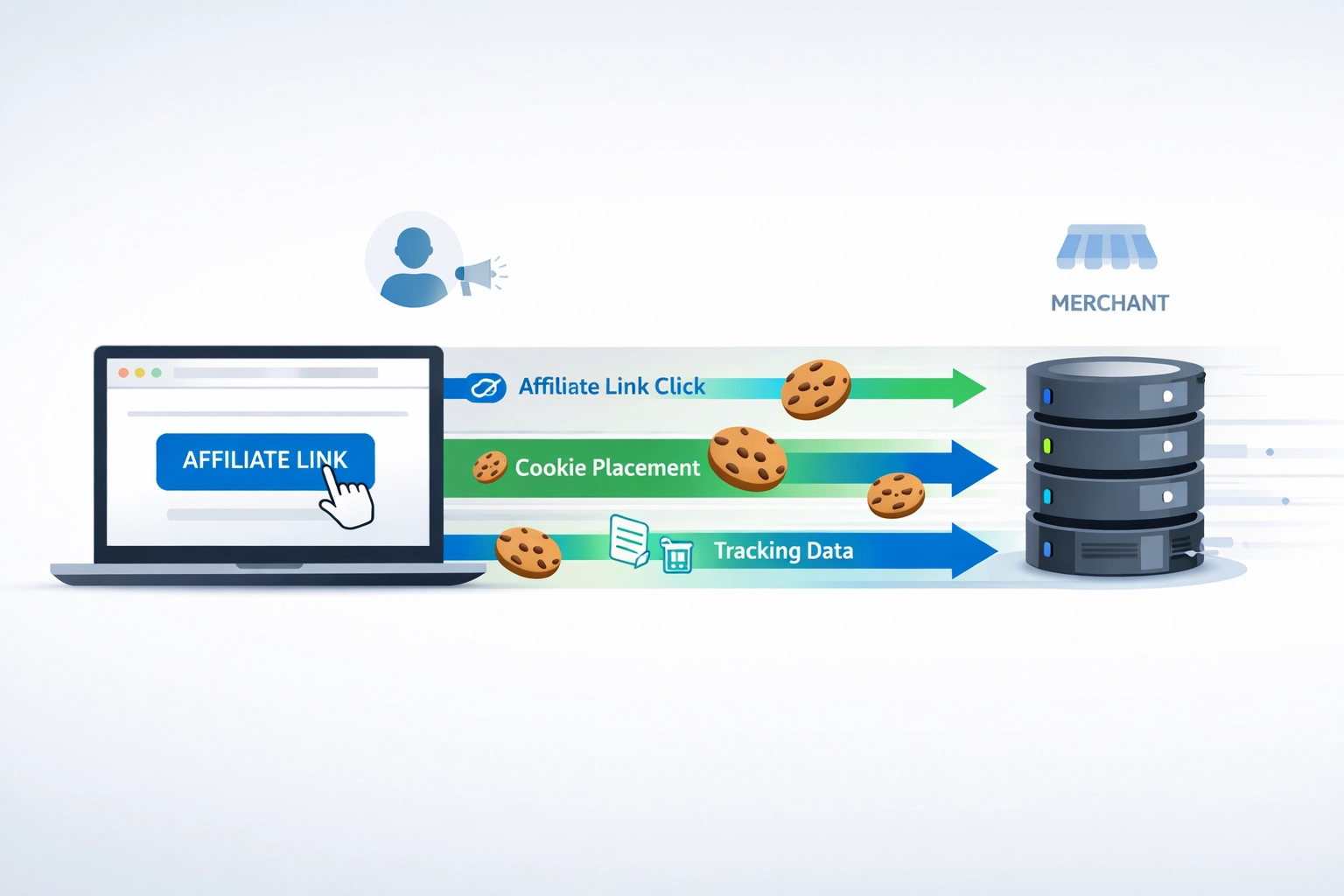
Aprende cómo funciona el seguimiento de cookies en el marketing de afiliados, incluyendo duración de las cookies, tipos, cumplimiento y mejores prácticas para....
Únete a nuestra comunidad de clientes satisfechos y brinda excelente soporte al cliente con Post Affiliate Pro.




Consentimiento de Cookies
Usamos cookies para mejorar tu experiencia de navegación y analizar nuestro tráfico. See our privacy policy.