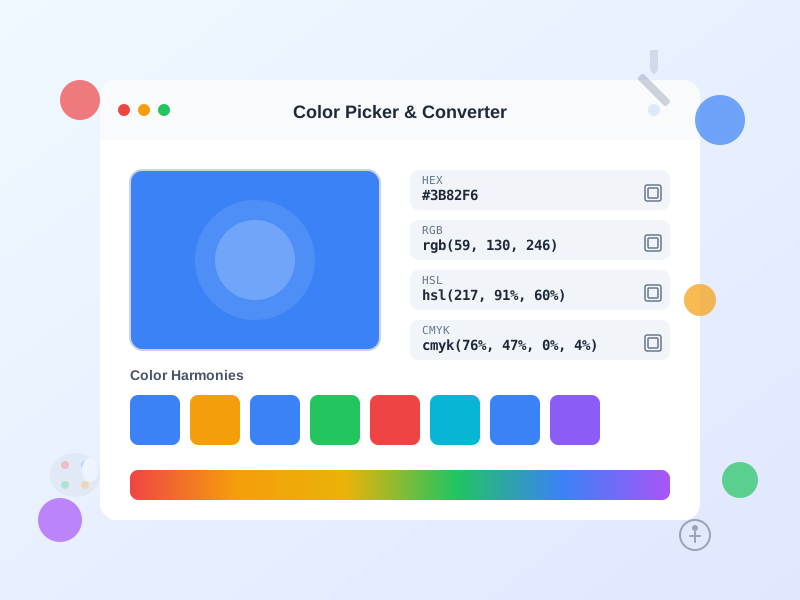
Selector de Color - Conversor HEX RGB HSL y Generador de Paletas
Herramienta gratuita de selector de colores en línea con conversión instantánea entre formatos HEX, RGB, HSL, HSV y CMYK. Genere paletas de colores, verifique l...
1 min de lectura
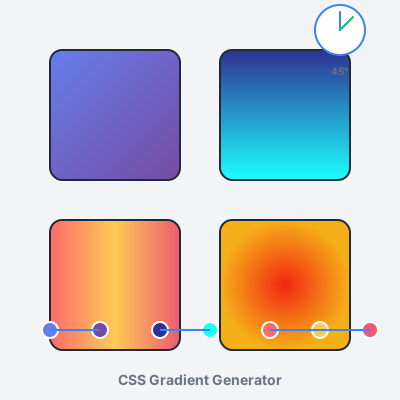
Create stunning CSS gradients with our free online tool. Design linear, radial, and conic gradients with intuitive visual controls. Adjust colors, angles, positions, and export production-ready CSS code instantly. Features live preview, gradient presets, color stop management, and gradient history. No registration required—start creating beautiful gradients now.
CSS gradients create smooth color transitions directly in the browser without requiring image files. Instead of loading separate PNG/JPG background images (HTTP requests, file size overhead, resolution constraints), gradients are defined as CSS background-image values and rendered natively by the browser.
Three gradient types:
Advantages over images:
Browser support: All modern browsers support unprefixed gradients (Chrome 26+, Firefox 16+, Safari 7+, Edge 12+, iOS Safari 7+, Android 4.4+). No vendor prefixes (-webkit-, -moz-) needed for gradients created after 2014.
Linear gradients create color transitions along a straight line defined by an angle parameter. The gradient line extends from the element’s center in the specified direction, with colors distributed along that line.
Syntax: background: linear-gradient(angle, color-stop1, color-stop2, ...);
Angle definitions:
to right (0deg), to bottom (90deg), to left (180deg), to top (270deg), to top-right (45deg), to bottom-right (135deg), etc.Color stops syntax:
linear-gradient(90deg, #667eea, #764ba2) — colors evenly distributed from top (blue-purple) to bottom (purple).linear-gradient(90deg, #667eea 0%, #764ba2 100%) — explicit positions (0% = start, 100% = end). Stops outside 0-100% extend color infinitely.linear-gradient(45deg, red 0%, yellow 25%, green 50%, blue 75%, purple 100%) — rainbow diagonal with 5 evenly-spaced colors.linear-gradient(90deg, red 0%, red 50%, blue 50%, blue 100%) — sharp horizontal split (red top half, blue bottom half).Common use cases:
background-clip: text for gradient text effectslinear-gradient(rgba(0,0,0,0.5), rgba(0,0,0,0.7)) over photo)Performance tip: Simple 2-3 color gradients render faster than 10+ color complex gradients. For photo-realistic backgrounds with many subtle transitions, use actual images—they’ll perform better.
Radial gradients create color transitions radiating outward from a center point in circular or elliptical patterns. Unlike linear gradients (straight lines), radial gradients emanate concentrically.
Syntax: background: radial-gradient(shape size at position, color-stops);
Shape parameter:
Size parameter (controls gradient spread):
Position parameter (center point):
center (default), top, bottom, left, right, top left, bottom right, etc.at 30% 70% (30% from left, 70% from top), at 0% 0% (top-left corner), at 100% 100% (bottom-right corner)at 150px 200px (absolute positioning from top-left)Examples:
radial-gradient(circle, #667eea, #764ba2) — circular purple gradient from centerradial-gradient(ellipse farthest-corner at 70% 30%, yellow, orange, red) — sunset spotlight in top-rightradial-gradient(circle closest-side at center, white, transparent) — vignette darkening (overlay on images)Common use cases:
radial-gradient(ellipse, transparent 50%, rgba(0,0,0,0.7) 100%))Conic gradients transition colors rotated around a center point, sweeping 360 degrees like a color wheel or pie chart. Unlike radial (center-outward) or linear (directional line), conic gradients rotate concentrically.
Syntax: background: conic-gradient(from angle at position, color-stops);
From angle parameter (rotation):
from 0deg starts at top, from 90deg starts at right, from 180deg starts at bottom, from 270deg starts at leftAt position parameter (center point):
at center (default), at 50% 50%, at top left, etc.Color stops (angular positions):
red 0deg (top), blue 120deg (bottom-left), green 240deg (bottom-right), red 360deg (completes circle)conic-gradient(red 0deg, red 120deg, blue 120deg, blue 240deg, green 240deg, green 360deg)Examples:
conic-gradient(from 0deg, red, yellow, green, cyan, blue, magenta, red) — rainbow color wheelconic-gradient(from 45deg at 50% 50%, #667eea 0deg, #764ba2 180deg, #667eea 360deg) — two-color rotational gradientconic-gradient(red 0deg 90deg, blue 90deg 180deg, green 180deg 270deg, yellow 270deg 360deg) — four-color pie chartCommon use cases:
conic-gradient(blue 0deg 120deg, lightgray 120deg 360deg) for 33% progress)@keyframes rotating conic gradient)clip-path for true charts)Browser support: Chrome 69+, Firefox 83+, Safari 12.1+, Edge 79+. Older browsers fall back to solid background-color—provide fallback: background: #667eea; background: conic-gradient(...);
Color stops define transition points in gradients—each stop specifies a color and position. Effective stop management creates professional, purposeful gradients.
Adding color stops:
Positioning strategies:
red 0%, yellow 25%, green 50%, blue 75%, purple 100% — uniform transitions, rainbow effectsred 0%, orange 10%, yellow 20%, white 100% — intense start transition, long fade at endblue 0%, blue 50%, red 50%, red 100% — sharp color split with no transitionblue 40%, red 60% — creates short transition zone (40-60%), longer solid color zonesColor selection tips:
Accessibility considerations:
background: #667eea; background: linear-gradient(...);This tool includes 12 professionally designed gradient presets covering common design aesthetics. Presets serve as starting points—click any preset to load into the editor, then customize colors, angles, and stops to match your brand.
Preset categories:
Using presets effectively:
Creating custom preset libraries:
$gradient-primary: linear-gradient(...);The “Generate Random Gradient” feature creates unpredictable, often surprising gradient combinations—ideal for creative exploration, rapid prototyping, and breaking designer’s block.
How it works:
Creative workflow:
Use cases:
Limitations:
Pro tip: Generate randoms with specific color palette by manually setting 1-2 stops to brand colors, then adding random stops between. This constrains randomness to brand-appropriate ranges.
This tool offers four preview modes demonstrating how gradients render on different element types—each mode exposes unique gradient characteristics.
Box mode (default):
Button mode:
Text mode:
background-clip: textCard mode:
Workflow recommendation:
Export gradients in three formats optimized for different development workflows—all produce identical visual results, choose based on your project structure.
CSS format:
.element {
  background: linear-gradient(90deg, #667eea 0%, #764ba2 100%);
}
<style> tags, or CSS-in-JS librariesSCSS format:
$gradient: linear-gradient(90deg, #667eea 0%, #764ba2 100%);

.element {
  background: $gradient;
}
Inline style format:
style="background: linear-gradient(90deg, #667eea 0%, #764ba2 100%);"
element.style.background = gradientUsage tips:
.bg-gradient-purple) or CSS custom properties (--gradient-primary)_gradients.scss)The History panel stores your last 20 created gradients in browser localStorage, enabling quick access to previous designs without re-creating from scratch.
How History works:
Storage details:
gradient-historyPrivacy & offline:
Workflow best practices:
Cross-device workflow: For sharing gradients across devices or team members:
Backup recommendation: Export important gradients to external files—localStorage is not permanent (browser cache clears, device failures, accidental clears). Maintain gradient library in:
$gradient-primary: linear-gradient(...);:root { --gradient-primary: linear-gradient(...); }Gradients should reinforce brand identity, not distract from it. Align gradient color choices with established brand colors, industry expectations, and target audience preferences.
Brand color integration:
Industry alignment:
Audience considerations:
Consistency across touchpoints:
Gradients as backgrounds must preserve text legibility—beautiful gradients are useless if users can’t read content.
Contrast requirements (WCAG standards):
Testing contrast:
Improving gradient readability:
background: linear-gradient(rgba(0,0,0,0.5), rgba(0,0,0,0.5)), linear-gradient(90deg, #667eea, #764ba2);
text-shadow: 0 2px 4px rgba(0,0,0,0.5);
Color combination tips:
While CSS gradients are more efficient than image files, complex gradients can impact render performance—especially on mobile devices and older browsers.
Performance factors:
transform instead for animations when possible.Optimization strategies:
1. Simplify color stops: Instead of 10-stop rainbow gradient, use 3-4 stops:
/* Before: 10 stops */
background: linear-gradient(90deg, red 0%, orange 11%, yellow 22%, lime 33%, green 44%, cyan 55%, blue 66%, indigo 77%, violet 88%, red 100%);

/* After: 4 stops (similar visual, better performance) */
background: linear-gradient(90deg, red 0%, yellow 33%, blue 66%, violet 100%);
2. Use CSS custom properties for theme switching: Define gradients as CSS variables for easy theme changes without recalculating:
:root {
  --gradient-primary: linear-gradient(90deg, #667eea, #764ba2);
}

.element {
  background: var(--gradient-primary);
}
3. Avoid animating gradient properties:
Animating background triggers expensive repaints. Use pseudo-elements with opacity transitions:
.button {
  position: relative;
  background: linear-gradient(90deg, #667eea, #764ba2);
}

.button::before {
  content: '';
  position: absolute;
  inset: 0;
  background: linear-gradient(90deg, #764ba2, #667eea);
  opacity: 0;
  transition: opacity 0.3s;
}

.button:hover::before {
  opacity: 1;
}
4. Provide solid color fallbacks: Older browsers or accessibility modes may not support gradients—always include fallback:
.element {
  background: #667eea; /* Fallback solid color */
  background: linear-gradient(90deg, #667eea, #764ba2); /* Gradient */
}
5. Test on target devices: Render performance varies drastically across devices. Test gradients on:
Multiple background gradients create sophisticated visual effects impossible with single gradients—mesh gradients, overlays, patterns, and depth.
Syntax for multiple backgrounds:
.element {
  background:
    linear-gradient(135deg, rgba(102,126,234,0.8), rgba(118,75,162,0.8)),
    radial-gradient(circle at top right, #f5af19, #f12711);
}
First gradient (linear) renders on top, second gradient (radial) renders beneath. Use semi-transparent colors (rgba, hsla) in top layers to show lower layers.
Common layering techniques:
1. Mesh gradients (organic color blends): Overlay multiple radial gradients with transparency:
background:
  radial-gradient(circle at 20% 80%, rgba(255,107,107,0.6), transparent 50%),
  radial-gradient(circle at 80% 20%, rgba(102,126,234,0.6), transparent 50%),
  radial-gradient(circle at 50% 50%, rgba(118,75,162,0.6), transparent 50%),
  #1a1a2e;
2. Vignette overlays (darken edges): Radial gradient overlay for focus:
background:
  radial-gradient(ellipse at center, transparent 30%, rgba(0,0,0,0.7) 100%),
  linear-gradient(135deg, #667eea, #764ba2);
3. Gradient patterns (stripes, grids): Repeating gradients for geometric patterns:
background:
  repeating-linear-gradient(45deg, transparent, transparent 10px, rgba(255,255,255,0.1) 10px, rgba(255,255,255,0.1) 20px),
  linear-gradient(90deg, #667eea, #764ba2);
4. Directional overlays (depth simulation): Combine linear + radial for 3D lighting effects:
background:
  linear-gradient(180deg, rgba(255,255,255,0.1), rgba(0,0,0,0.3)),
  radial-gradient(circle at 30% 30%, #fff, #667eea);
Best practices:
Gradient rendering varies across browsers, especially with advanced features (conic gradients, complex color spaces). Ensure consistent visual appearance through cross-browser testing.
Browser support summary:
Cross-browser testing checklist:
1. Test in major browsers:
2. Provide conic gradient fallbacks: Conic gradients unsupported in older browsers—provide solid color fallback:
.element {
  background: #667eea; /* Fallback for browsers without conic support */
  background: conic-gradient(from 0deg, #667eea, #764ba2, #667eea);
}
3. Test color formats: Some browsers reject malformed colors:
# in hex colors: #667eea not 667eeargb(102, 126, 234) or rgba(102, 126, 234, 0.8)4. Verify on real devices: Emulators don’t perfectly replicate device rendering:
5. Check accessibility modes: High contrast modes and color inversion may alter gradients:
Debugging tools:
Gradients are powerful visual tools—overuse creates cluttered, dated designs. Strategic, purposeful gradient placement enhances UI without overwhelming users.
Where to use gradients:
Where to avoid gradients:
Signs of gradient overuse:
Gradient restraint guidelines:
Evolution over time: Gradient trends change—90s web used garish, neon gradients (dated). 2000s avoided gradients entirely (minimalism backlash). 2010s reintroduced subtle, sophisticated gradients (modern UI). Monitor design trends, but prioritize timeless brand alignment over trendy gradient styles. A well-executed 2-color brand gradient ages better than complex rainbow gradients following fleeting trends.
A CSS gradient is a smooth transition between two or more colors, rendered by the browser without requiring image files. CSS supports three gradient types: linear-gradient() creates color transitions along a straight line at any angle, radial-gradient() creates circular or elliptical color transitions from a center point, and conic-gradient() creates color transitions rotated around a center point. Gradients are defined as CSS background-image values (not background-color), making them compatible with background-size, background-position, and multiple background layers. Modern browsers support gradients natively with no vendor prefixes needed (Chrome 26+, Firefox 16+, Safari 7+, Edge 12+). Gradients scale infinitely without pixelation, automatically adapt to element size changes, and perform better than image files (no HTTP requests, smaller file sizes).
Linear gradients use the syntax: background: linear-gradient(angle, color-stop1, color-stop2, ...); The angle parameter defines gradient direction: 0deg = left to right, 90deg = top to bottom, 180deg = right to left, 270deg = bottom to top. You can also use keywords: to right, to bottom, to top-right (diagonal). Color stops define transition points: background: linear-gradient(90deg, #667eea 0%, #764ba2 100%); creates top-to-bottom purple gradient. Add multiple stops for complex gradients: linear-gradient(45deg, red 0%, yellow 25%, green 50%, blue 75%, purple 100%); creates rainbow diagonal. Stop positions (0%-100%) control where each color appears—omit positions for evenly-spaced transitions. Use this tool to visually adjust angle, add/remove color stops, and copy production-ready CSS code instantly.
Linear gradients transition colors along a straight line at a specified angle, creating directional color flow (top-to-bottom, diagonal, etc.). Radial gradients transition colors from a center point outward in a circular or elliptical pattern, creating radial color flow. Syntax difference: linear-gradient(angle, colors) vs radial-gradient(shape size at position, colors). Linear gradients are ideal for: backgrounds with directional flow, header/footer designs, button highlights, and text effects. Radial gradients excel at: spotlight effects, circular buttons, vignettes, background textures, and focus points. Radial gradients offer additional controls: shape (circle or ellipse), size (closest-side, farthest-corner, etc.), and position (center, top left, custom percentages). Both support unlimited color stops and can be layered using multiple backgrounds for complex effects.
CSS gradients support unlimited color stops, but practical limits apply: Browser performance degrades with 50+ stops (increased rendering time, especially on mobile). Visual clarity suffers beyond 10-12 stops—human eyes can't distinguish subtle transitions in complex gradients. File size increases with more stops in inline styles or CSS files. Best practices: Use 2-3 stops for simple gradients (most common: two-color transitions). Use 3-5 stops for multi-color gradients (rainbows, sunset effects, brand-aligned palettes). Use 5-10 stops for complex effects (mesh gradients, photo-realistic backgrounds, intricate patterns). This tool allows up to 10 color stops, balancing creative flexibility with performance. For photo-realistic effects requiring 50+ stops, consider using actual images with CSS filters instead—they'll perform better and provide more control.
Common gradient angles and their visual effects: **0deg (→)**: Left-to-right, horizontal flow—ideal for header/footer backgrounds, progress bars, horizontal navigation. **90deg (↓)**: Top-to-bottom, vertical flow—most common for page backgrounds, section dividers, card headers. **180deg (←)**: Right-to-left, reverse horizontal—useful for RTL layouts, reversed effects. **270deg (↑)**: Bottom-to-top, reverse vertical—creates rising effects, footer-to-header flow. **45deg (↘)**: Top-left to bottom-right diagonal—dynamic, modern look for hero sections, buttons. **135deg (↙)**: Top-right to bottom-left diagonal—alternative diagonal, creates visual interest. **-45deg / 315deg (↗)**: Bottom-left to top-right—upward momentum, positive energy. Custom angles (e.g., 120deg, 210deg) create unique directional flows. Tip: Use 90deg for readability (text over gradient), 45deg/135deg for visual interest, 0deg/180deg for subtle horizontal emphasis.
Yes! CSS supports multiple background gradients layered on a single element using comma-separated values. Syntax: background: linear-gradient(...), radial-gradient(...), conic-gradient(...); Gradients stack with first gradient on top, last on bottom—use semi-transparent colors (rgba/hsla) in top layers to show layers beneath. Common use cases: **Mesh gradients**: Overlay multiple radial gradients with transparency for organic, complex color blends. **Gradient overlays**: Layer linear gradient over radial gradient for spotlight + directional effects. **Pattern creation**: Combine repeating-linear-gradient() with solid gradients for striped backgrounds. **Vignette effects**: Layer radial-gradient(ellipse, transparent 50%, rgba(0,0,0,0.5) 100%) over any background. Example: background: linear-gradient(135deg, rgba(102,126,234,0.8), rgba(118,75,162,0.8)), radial-gradient(circle, #f5af19, #f12711); creates layered purple-over-orange effect. Use this tool to design individual gradients, then manually combine in code editor.
Gradient text uses background-clip property to apply gradient only to text characters. Two-step process: (1) Apply gradient to background, (2) Clip background to text shape. CSS code: .gradient-text { background: linear-gradient(45deg, #667eea, #764ba2); -webkit-background-clip: text; background-clip: text; -webkit-text-fill-color: transparent; color: transparent; } The gradient becomes visible only where text exists—transparent elsewhere. Browser support: Chrome 4+, Safari 4+, Firefox 49+, Edge 15+ (requires -webkit- prefix for all browsers). Best practices: Use high-contrast color stops for readability, choose angles that flow with text direction (0deg/180deg for horizontal text), avoid complex gradients with 5+ stops (reduces legibility), test on light and dark backgrounds. Limitations: Text selection may show awkward colors, screen readers ignore styling (ensure semantic HTML), some mobile browsers have rendering quirks. This tool's 'Text' preview mode demonstrates gradient text—copy CSS and adapt background-clip properties.
Conic gradients transition colors rotated around a center point, creating circular color sweeps like pie charts or color wheels. Syntax: background: conic-gradient(from angle at position, color-stops); The 'from' angle rotates the entire gradient (default 0deg = top), 'at position' sets center point (default center), color stops define transitions around the circle. Example: conic-gradient(from 0deg at 50% 50%, red 0deg, yellow 60deg, green 120deg, cyan 180deg, blue 240deg, magenta 300deg, red 360deg); creates a color wheel. Use cases: **Color pickers**: Visual color wheel interfaces for design tools. **Progress indicators**: Circular progress bars, loading spinners, completion rings. **Pie charts**: Data visualization with color-coded segments. **Decorative backgrounds**: Abstract patterns, geometric designs, modern aesthetics. **3D lighting effects**: Simulate radial lighting, metallic surfaces. Browser support: Chrome 69+, Firefox 83+, Safari 12.1+, Edge 79+. This tool's Conic mode lets you adjust starting angle, center position, and color stops—perfect for creating custom color wheels and circular designs.
This tool offers three CSS export formats optimized for different workflows: **CSS format** (.element { background: ... }) - Standard CSS rule for stylesheets, copy-paste into .css files, works in external/internal style tags, ideal for reusable styles across multiple elements. **SCSS format** ($gradient: ... .element { background: $gradient; }) - Sass/SCSS variable declaration, enables gradient reuse across Sass files, supports Sass functions/mixins, requires Sass preprocessor compilation. **Inline style format** (style='background: ...') - HTML inline style attribute, no CSS file needed, highest specificity (overrides external styles), useful for dynamic styling, email templates (limited email client support), and one-off elements. All formats produce identical visual results—choose based on your development workflow. Modern browsers require no vendor prefixes (-webkit-, -moz-, -o-) for gradients since 2014, but include them if supporting IE10/11 or older Android browsers. Copy code from this tool and paste directly into your project—no manual syntax adjustments needed.
Yes! This tool provides two gradient storage features: **Gradient History** automatically saves your last 20 created gradients to browser localStorage—persists across page refreshes, accessible from history panel, click any saved gradient to instantly reload it, stored locally (no server uploads, works offline). **Save to History button** manually saves current gradient—useful for capturing work-in-progress variations, organizing multiple design options, building personal gradient library. History is device-specific (saved in browser localStorage)—won't sync across devices, clearing browser data erases history, export important gradients by copying CSS code to external files. Pro workflow: Design multiple gradient variations, save each to history, compare side-by-side by reloading from history, export winners to SCSS variables file for project-wide reuse. For cross-device access, copy CSS codes to note-taking apps, version control (Git), or design system documentation. Future enhancement: Export history as JSON file for backup and sharing.
Gestiona múltiples programas de afiliados y mejora el rendimiento de tus socios afiliados con Post Affiliate Pro.
Herramienta gratuita de selector de colores en línea con conversión instantánea entre formatos HEX, RGB, HSL, HSV y CMYK. Genere paletas de colores, verifique l...
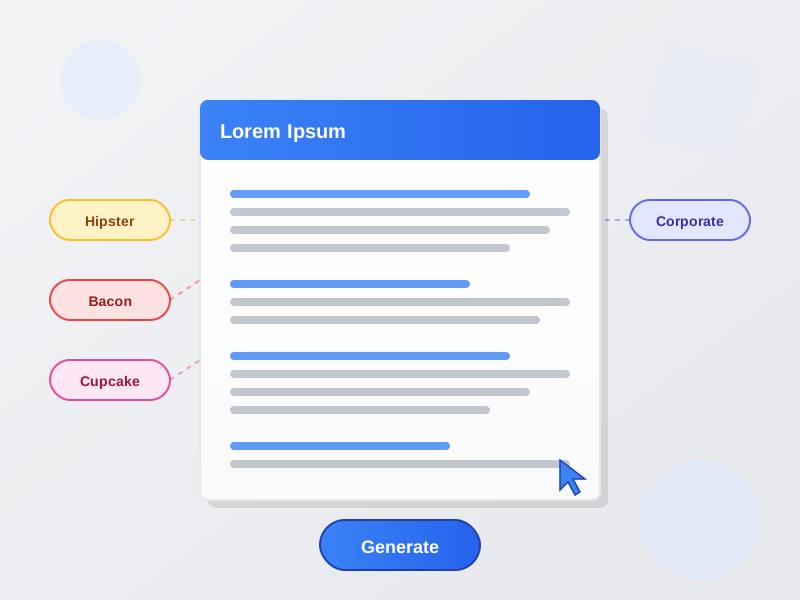
Generate Lorem Ipsum dummy text with multiple formats. Classic Lorem Ipsum, Hipster, Bacon, Cupcake, and Corporate text generators for mockups and design.
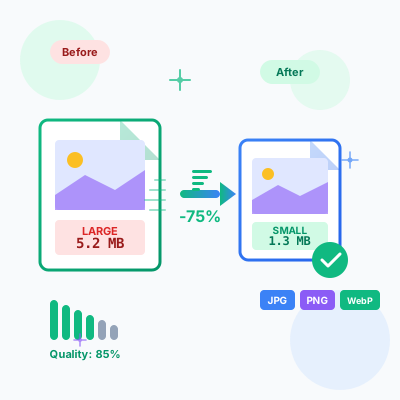
Herramienta gratuita de compresión de imágenes online. Comprime JPG, PNG, WebP manteniendo la calidad. Compresión por lotes, comparación antes/después, opciones...
Únete a nuestra comunidad de clientes satisfechos y brinda excelente soporte al cliente con Post Affiliate Pro.